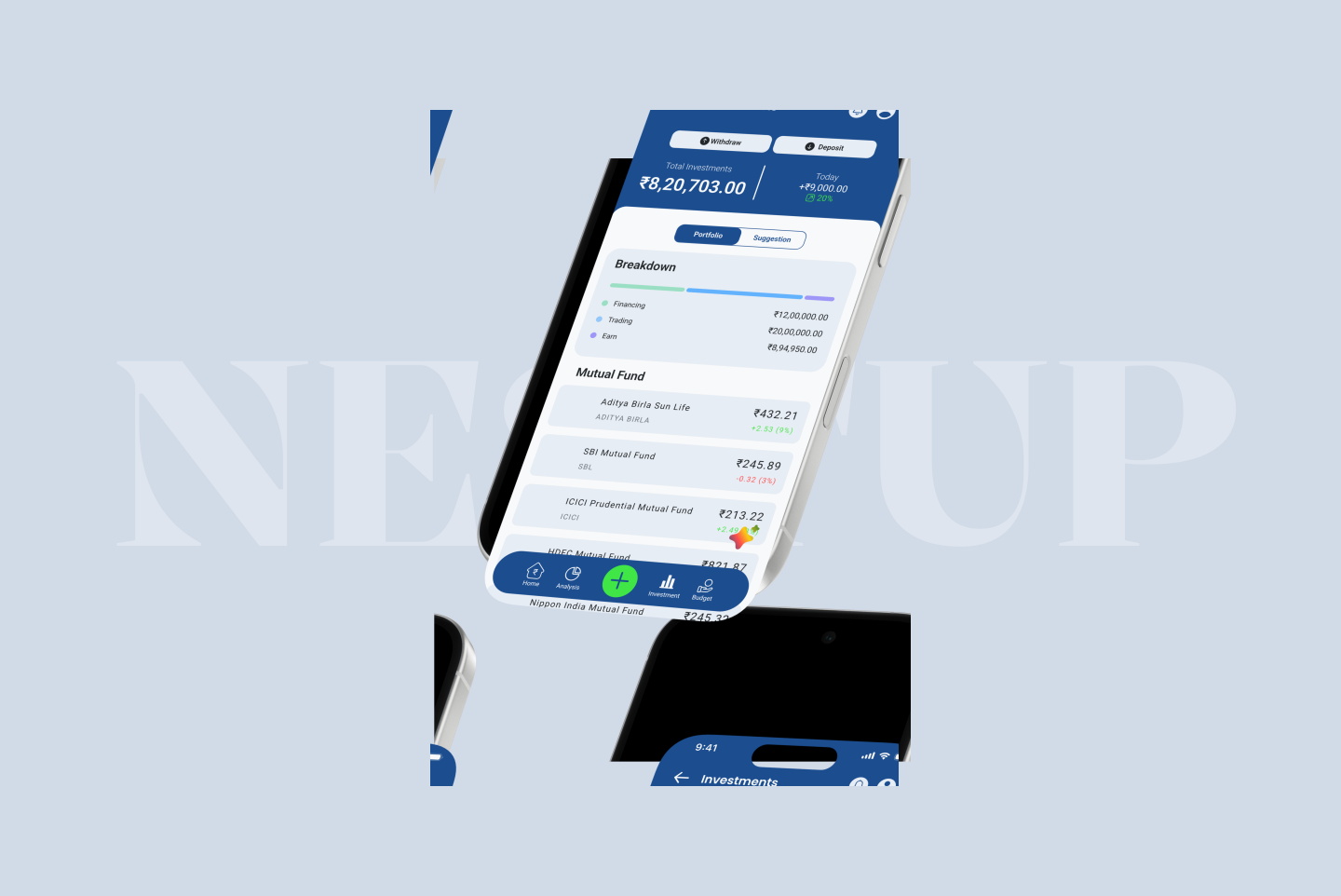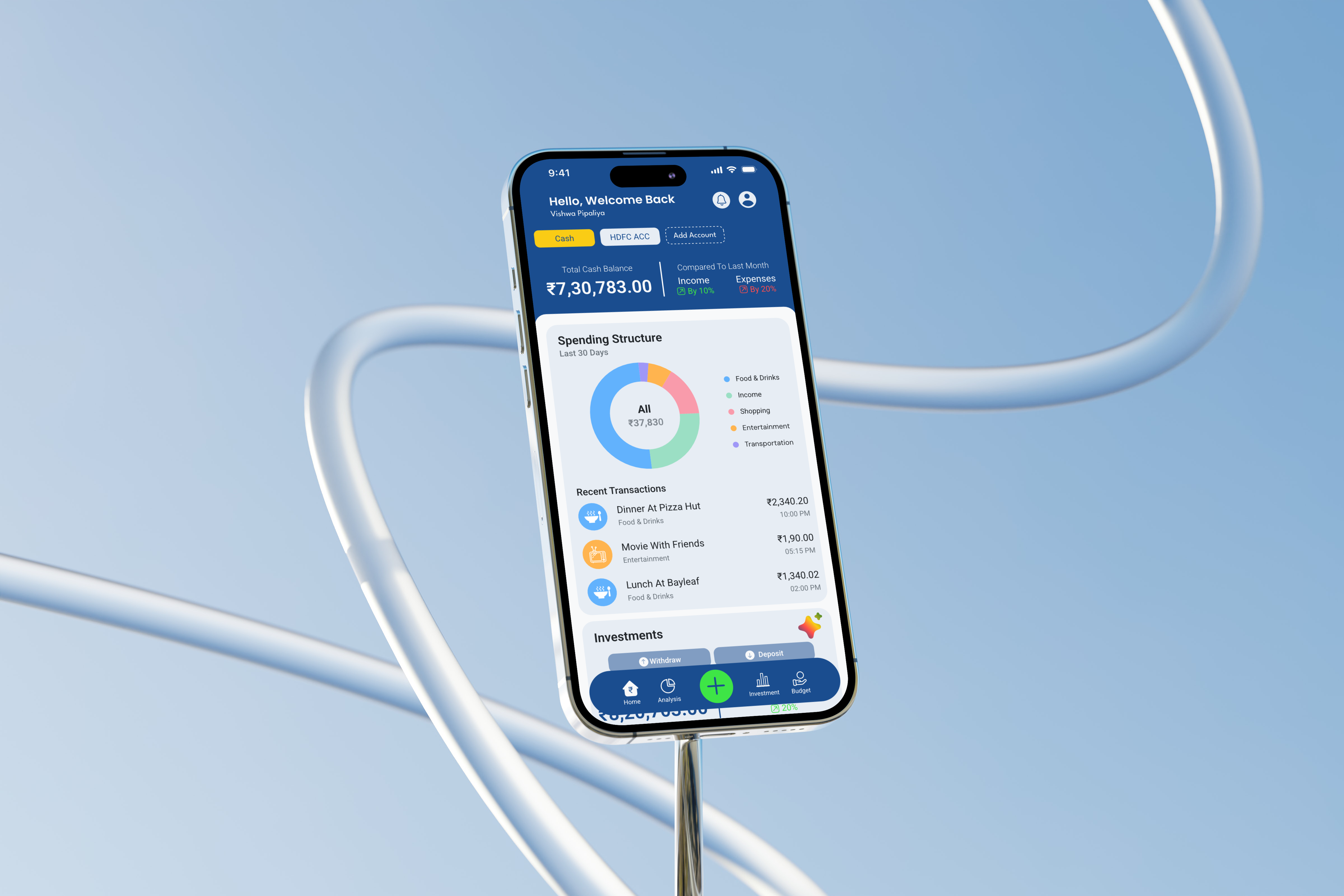
Nest Up
NestUp is an AI-powered fintech app that simplifies budgeting, spending, and investing for young professionals.
NestUp is an AI-powered fintech app that simplifies budgeting, spending, and investing for young professionals.
NestUp explores how AI can turn everyday financial admin budgeting, tracking, investing into something calm and confidence-building instead of a source of anxiety, helping young professionals build stronger money habits without needing a finance background.
Most budgeting apps present raw numbers without context, leaving users unsure what to actually do with the data. Fragmented tools for spending, saving, and investing, combined with dense dashboards, make it hard for people to build a consistent financial routine.
The experience was designed around clarity and trust. Every insight from spending patterns to investment suggestions is explained in plain language, surfaced at the right moment instead of buried in a report. A calm visual language and an AI assistant turn financial data into a habit-building conversation rather than a spreadsheet.
Small deposits.
Bigger security.
NestUp wasn't designed around a piggy bank. It was built around the moment saving finally feels like progress, not restriction.
During the exploration, a single upward mark formed the letters N and U — representing the shift from uncertain finances to a nest egg that's actively growing.
Its rounded form echoes a nest: a small, protected space where something is built up gradually, one consistent deposit at a time.
At the heart of it all is one simple belief.
Small, steady habits build lasting financial confidence.




The palette was crafted to build confidence before decisions are made. Trustworthy blues establish stability, vibrant accents celebrate progress, and subtle neutrals bring clarity to complex financial information—creating a digital experience that feels intelligent, approachable, and reassuring.
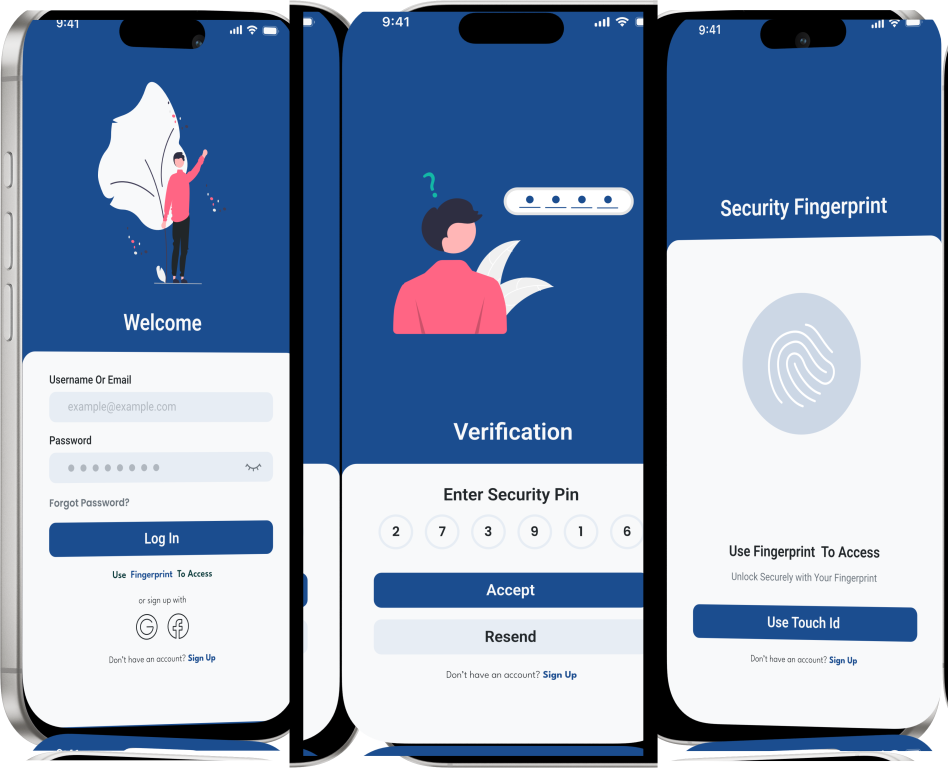
“I don't want to link my bank account before I even know what this app does.”
A familiar login pattern with social sign-in keeps the barrier to entry low before users connect any financial accounts.
“I want to know my financial data stays private.”
A simple PIN step builds trust early, signaling that account security is taken seriously without adding friction.
“Typing a password every time I check my balance is annoying.”
Biometric unlock removes repeat friction for an app people open dozens of times a day.
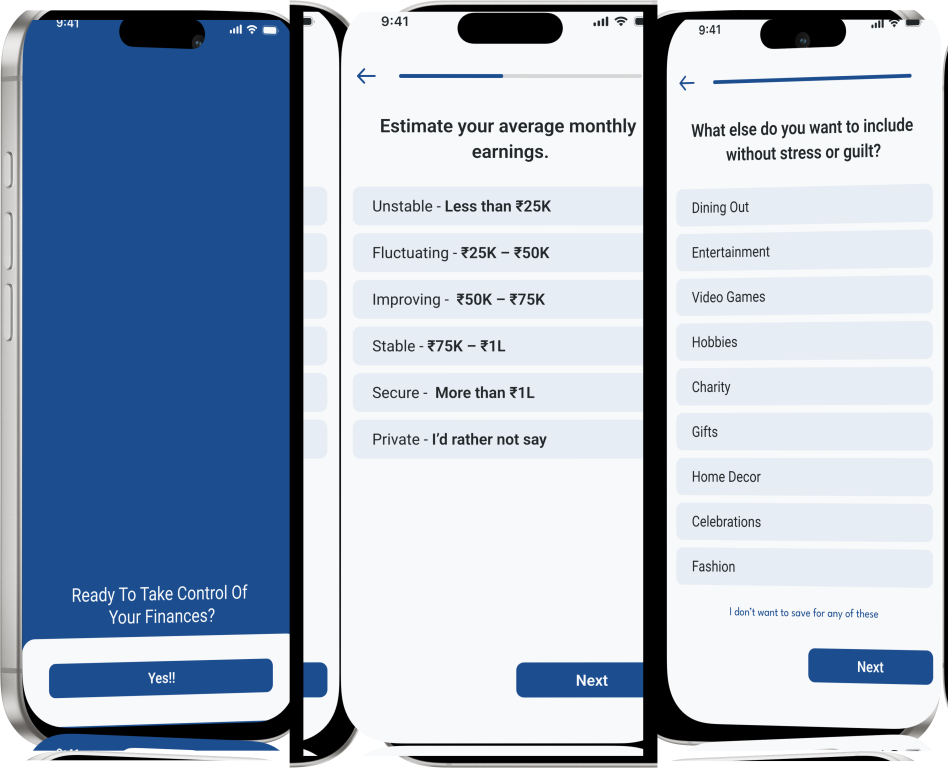
“I want it to understand my situation, not just show generic advice.”
A short setup step personalizes budgets and insights to the user's income and goals without feeling like a lengthy survey.
“Saving for a trip is different from saving for an emergency fund.”
Letting users define goals upfront tailors recommendations instead of applying one generic budget.
“I want a nudge to check in, not a lecture about spending.”
Framing reminders as gentle nudges keeps the tone encouraging rather than judgmental.
Every financial journey starts with a single decision. NestUp was designed to remove uncertainty by transforming complex financial information into simple, meaningful actions. Through personalized insights, intelligent budgeting, and guided investing, the experience encourages users to build stronger financial habits because lasting wealth is created through consistency, not complexity.
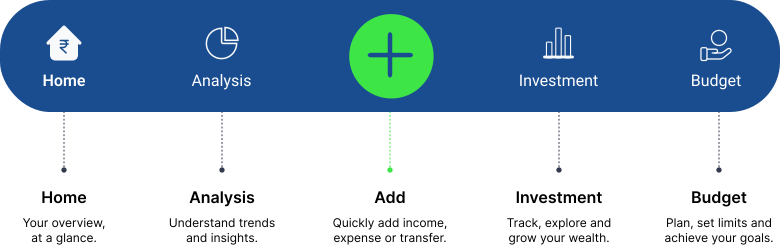
The bottom navigation is designed around five core actions users perform every day. Each icon is a goal, not just a screen.

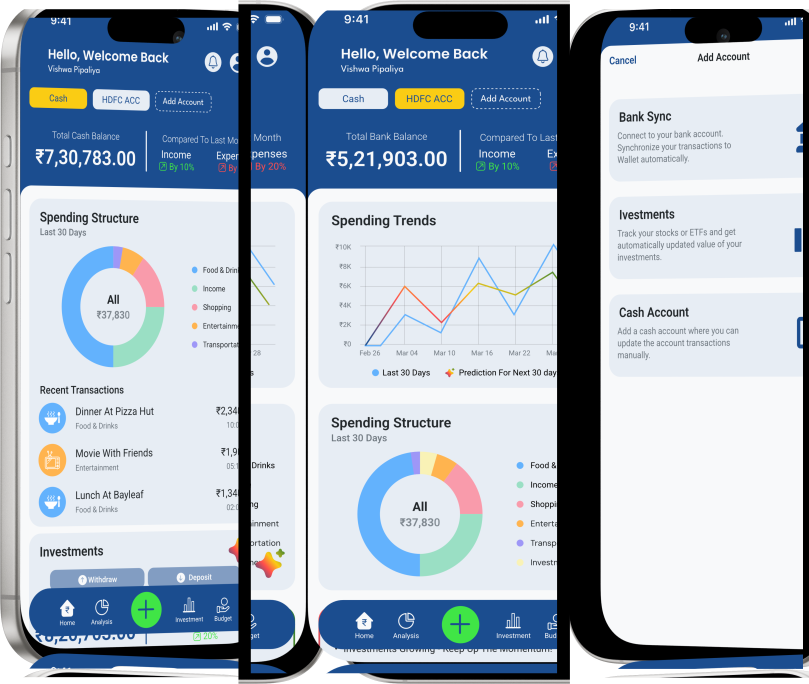
The Home Dashboard gives users a clear overview of balances, recent spending, and savings progress, helping them pick up right where they left off.

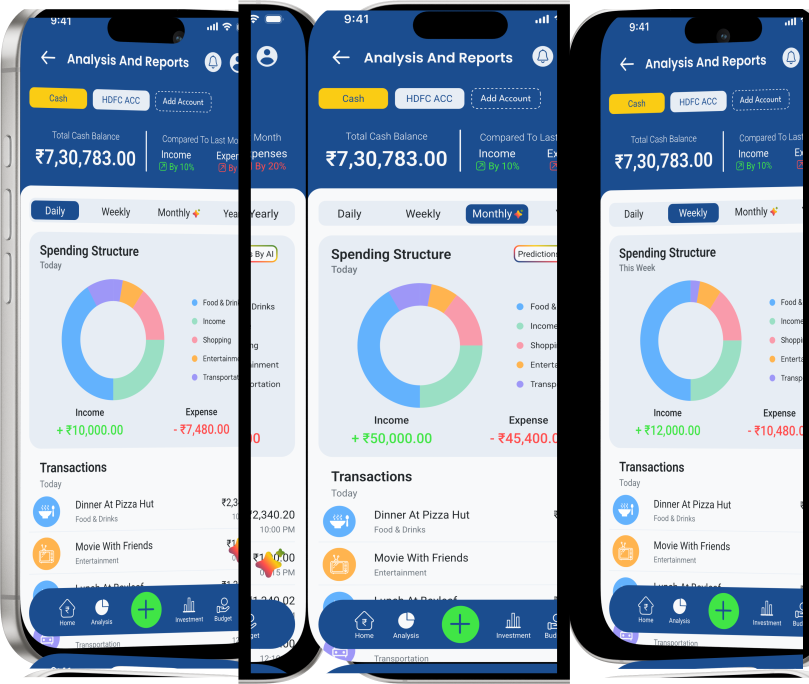
The Analysis Dashboard turns raw spending data into meaningful insights, helping users track progress, spot recurring costs, and manage their money with more confidence over time.

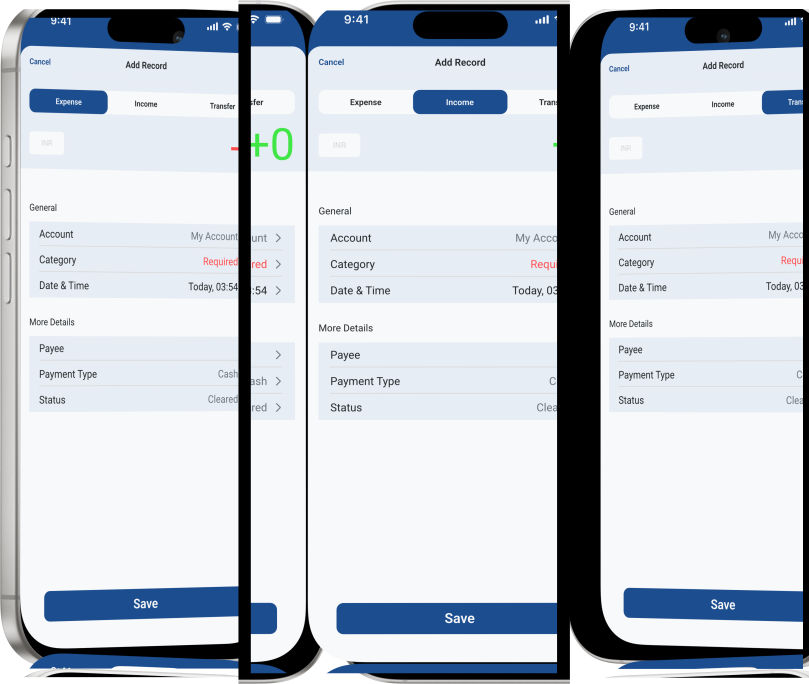
The Add Transaction flow lets users log spending instantly, choosing a category and account up front so budgets and insights stay accurate from the very first entry.

The Investing module surfaces risk-matched opportunities, portfolio performance, and AI-powered suggestions, helping users grow their money with more confidence over time.

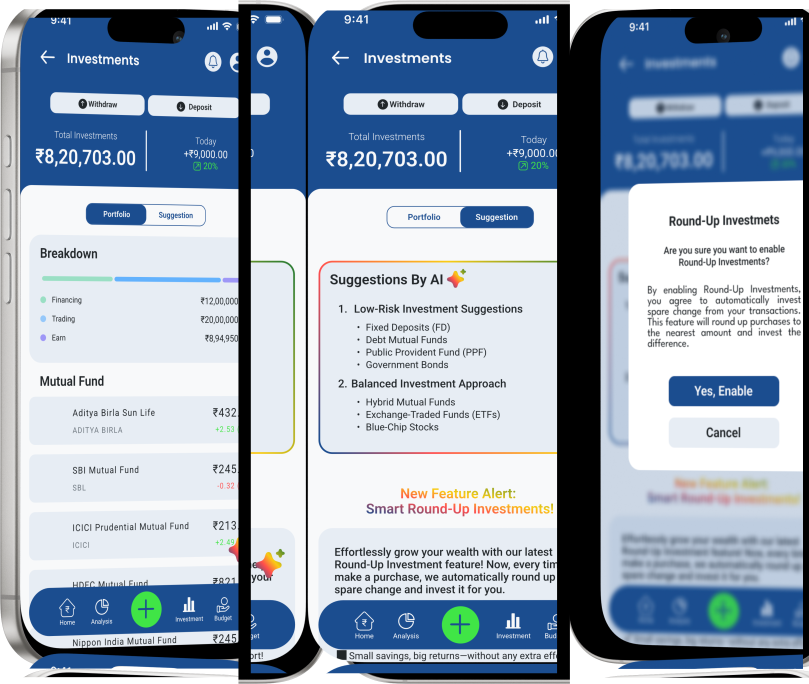
The Budget & Goals module helps users set spending limits and track savings goals, making it easier to build consistent habits and reach long-term financial milestones.

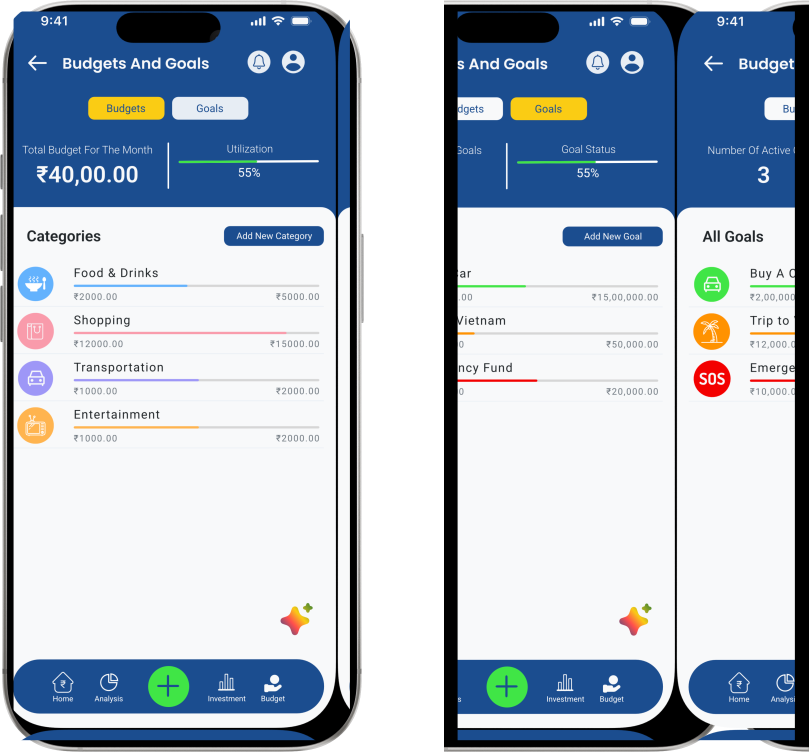
NestUp is built around the idea that stronger financial habits come from small, consistent actions. Through real-time insights, contextual explanations, and AI-powered guidance, the experience helps users better understand their spending, plan for what matters, and make informed investment decisions. A clean visual system brings clarity to complex financial information, making everyday money management feel simpler, more approachable, and easier to build into a lasting routine.
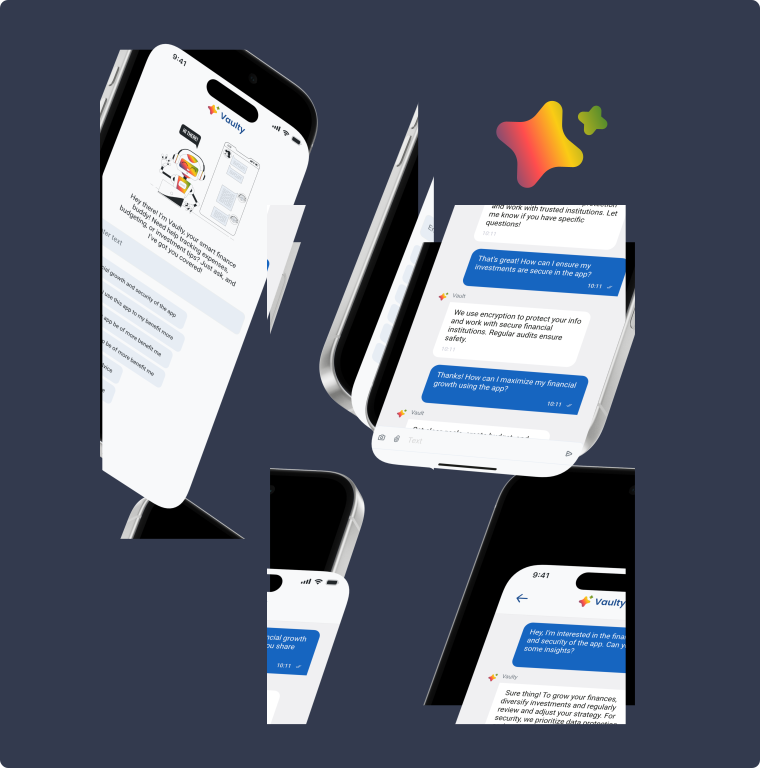
Quill is NestUp's AI financial assistant that understands your spending, answers your questions, and helps you build better money habits one decision at a time.

Detects spending patterns and highlights opportunities to save more.

Creates personalized budgets that adapt to your income and goals.

Recommends suitable investment options based on your risk profile and goals.

Explains financial concepts in simple conversations to build your money IQ.
 Ask anything. Get clarity.
 How can I save more each month?
 Is my financial information private?
 How secure is my bank data?
 Explain SIP in simple words.
 Best investments for me?
 How to build an emergency fund?
Understanding the app's core financial problems, target users, and daily habits through research, competitor analysis, and content evaluation to shape the product strategy.
Structuring the app around financial goals, making budgeting and investment insights easier to navigate and understand.
Designing a calm, trustworthy interface with consistent components, refined typography, and a scalable visual system that reflects NestUp's clarity.
Building a reusable component library and visual guidelines to ensure consistency, scalability, and efficient expansion across future features.